How to Create a YouTube Channel From Scratch in 2026: The Ultimate Guide


So you want to start a YouTube channel in 2026
Good timing. The platform has changed. The algorithm cares more about how people react to your latest video than the subscriber count you built five years ago. A brand-new channel can easily beat a veteran if the content hits harder.
Build before you grow. Here is how to set up your channel, use the tools, and start getting actual views.
Step 1: Get a Google account
YouTube is just another Google product. If you have a Gmail, you are ready. If not, sign up at accounts.google.com. It takes two minutes.
Keep your channel separate from your personal profile if you want a professional brand name. The setup process lets you choose.
Step 2: Create your channel
Sign in to youtube.com, click your profile picture, and go to Settings. Select "Create a new channel." Pick a short name and a handle. Upload a profile picture and hit create. Your room is empty. Now fill it.
Step 3: Mobile setup
You can run a channel entirely from your phone. Grab the YouTube app, but use your mobile browser in desktop mode for the heavy lifting in case you don't have access to a laptop/computer. You need the desktop view to set your banner and write your channel description. Download YouTube Create, too. It is a free, official app for editing, captions, and cleaning up your audio.Q
Step 4: Set up YouTube Studio
Bookmark studio.youtube.com. This is your command center. You will live here. This is where you upload, check analytics, and manage comments. Most importantly, verify your phone number at youtube.com/verify. You cannot upload long videos, use custom thumbnails, or go live without doing this.
Use the Customization tab to upload a banner (2560 x 1440px) and write a clear description. If someone lands on your page, they should know exactly what you do within three seconds.
Step 5: Pick a niche
Don't skip this. YouTube algorithm groups your videos internally based on who watches them. If you post a cooking video, then a gaming clip, then a tech review, the algorithm won't know who to show your work to. Pick one lane. If you can make 50 videos about a topic, start there.
Step 6: Understand the 2026 update
Viewer satisfaction is the main ranking signal now. It matters more than raw watch time. YouTube wants to know if people come back or share your stuff. If your thumbnail promises one thing and your video delivers something else, you will lose.
Focus on these metrics:
- Viewer Satisfaction: Do people like the video?
- Click-Through Rate (CTR): Do people click your thumbnail?
- Average View Duration: Do they stay or leave?
- Session Contribution: Does your video make them watch more?
- New Viewer Attraction: Are you bringing new people to the platform?
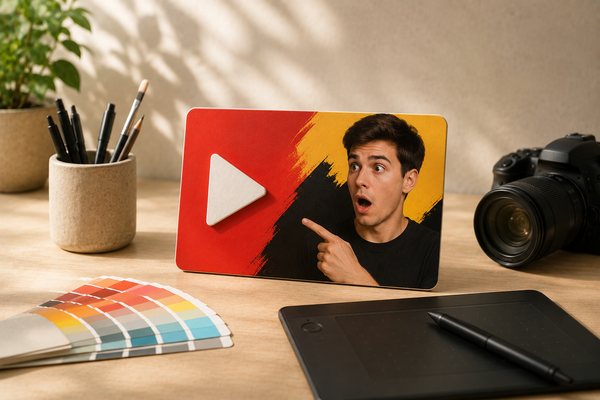
CTR is the real bottleneck. If no one clicks, the video is dead. Spend as much time on your thumbnail as you do on the edit. If you want a data-backed opinion on your designs, BerryViral can help you see if your thumbnails are clickable.
Step 7: Long-form vs. Shorts
Shorts and long-form videos live in different worlds. You can post both without hurting your channel. For Shorts, you have up to three minutes, but you need to win the first three seconds. Use vertical video, add captions, and design for loops. For long-form, get to the point in the first 30 seconds. Tell them what the video is about and get into it.
Step 8: Branding
Consistency builds trust. Pick a profile picture and stick with it. Make your banner a billboard for your channel. Use the same fonts and colors in your thumbnails so people recognize your videos in a crowded feed.
Step 9: Your first upload
Click "Create" in YouTube Studio and upload your file. While it processes, be specific with your title—"How I Lost 10kg in 90 Days" beats "My Weight Loss Journey." Write 200–300 words for your description, use keywords, and add timestamps. Always upload a custom thumbnail and use end screens so viewers stay on your channel.
Step 10: Use Ask Studio AI
YouTube’s Ask Studio AI is a solid tool for new creators. It helps you brainstorm titles or explain why a video might be flopping. Use it to make sense of your early data.
Step 11: Define your consistency
Consistency means showing up when you say you will. One video a week is better than three in one week followed by a month of silence. Find a pace you can keep up with. Check your stats every week. If your CTR is below 4%, your thumbnail is the problem. If people leave in the first 30 seconds, fix your hook.
The problem most new channels run into
They spend all their time on production and ignore the thumbnail. It doesn't matter how good the video is if nobody clicks. Treat your thumbnail as your most important task. Give people a reason to click, and you have a real shot at growing. Try BerryViral and see what your thumbnails can do for you!