How to Create an Eye Catching YouTube Thumbnail That Actually Gets Clicks


Your video might be amazing. The editing? Flawless. The script? Chef's kiss. But if your thumbnail looks like a blurry screengrab from minute 3:47, nobody's clicking.
The thumbnail is the gatekeeper. It's the split-second decision point where someone scrolls past or stops to watch. And if you're wondering why your view counts are stuck while competitors with worse content are thriving, your thumbnail is probably the culprit.
Why Thumbnails Matter More Than You Think
Research shows that thumbnails influence roughly 65% of whether someone clicks on a video. Not the title alone. Not your subscriber count. The thumbnail.
Think of it like a book cover or a movie poster. Nobody reads the synopsis first. They see the image, get intrigued (or don't), and make their choice in about two seconds.
The problem is that most creators treat thumbnails as an afterthought. They spend hours perfecting their video, then slap together a thumbnail in five minutes using the first stock photo they find. That's backwards.
What Makes a Thumbnail Eye-Catching?
Let's break down what actually works, starting with the basics.
1. Use a Clear Focal Point
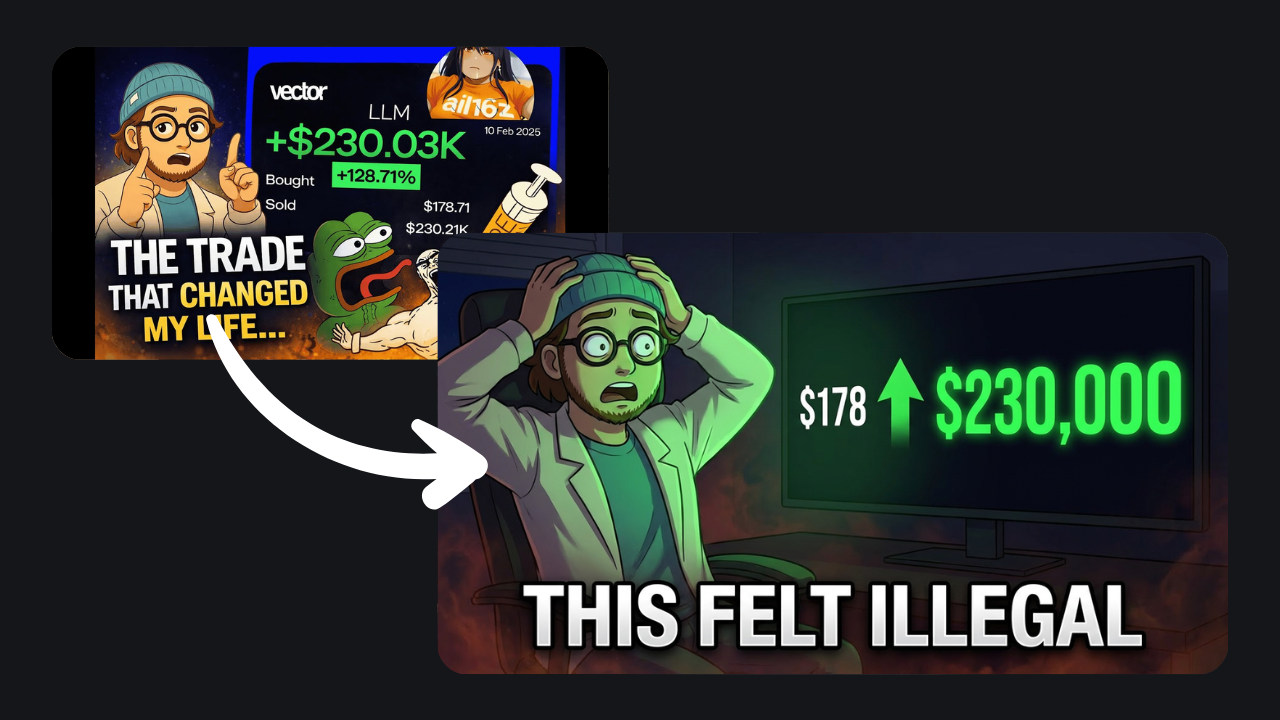
Your thumbnail needs one main thing to look at. A face, a product, a dramatic moment from the video. Not three things. Not a collage of seven different screenshots. One.
Gaming channels figured this out years ago—they show the streamer's face mid-reaction (usually with an exaggerated expression) plus maybe one game element. That's it. Clean and immediate.
For tutorials or how-tos, show the end result. Cooking video, you could show the finished dish, not raw ingredients. Tech review? The gadget in action, not the box it came in.
2. Contrast Is Your Best Friend
If your text blends into the background, nobody's reading it. Use colors that actually stand out from each other.
Studies found that high-contrast color schemes got 42% more clicks than washed-out or monochrome designs. Bright backgrounds with dark, bold text (or vice versa) make everything readable at a glance.
Avoid the temptation to make everything the same shade of blue or gray. If your text color is only slightly darker than your background, you've already lost.
3. Keep Text Short and Punchy
Three to five words max. Seriously.
Nobody's stopping mid-scroll to read a paragraph on your thumbnail. They're there to watch videos, not squint at tiny sentences. Your text should tease curiosity or highlight the hook—not explain the entire video.
Examples that work:
- "Before/After"
- "You Won't Believe This"
- "5 Mistakes"
- "This Changed Everything"
Examples that don't:
- "In this video I'm going to show you how to..."
- Long questions that require zooming in to read
The title already gives context. The thumbnail just needs to make people want that context.
4. Design for Mobile Screens
Most YouTube views happen on phones. If your thumbnail looks great on your 27-inch monitor but turns into an unreadable blob on a 6-inch screen, you've designed for the wrong audience.
Test your thumbnails at small sizes before publishing. Shrink it down. Can you still read the text? Does the main image still pop? If not, make everything bigger and simpler.
Tiny details—thin fonts, small logos, intricate patterns—all disappear on mobile. Use chunky fonts, high contrast, and leave some breathing room around your key elements.
5. Be Consistent (But Not Boring)
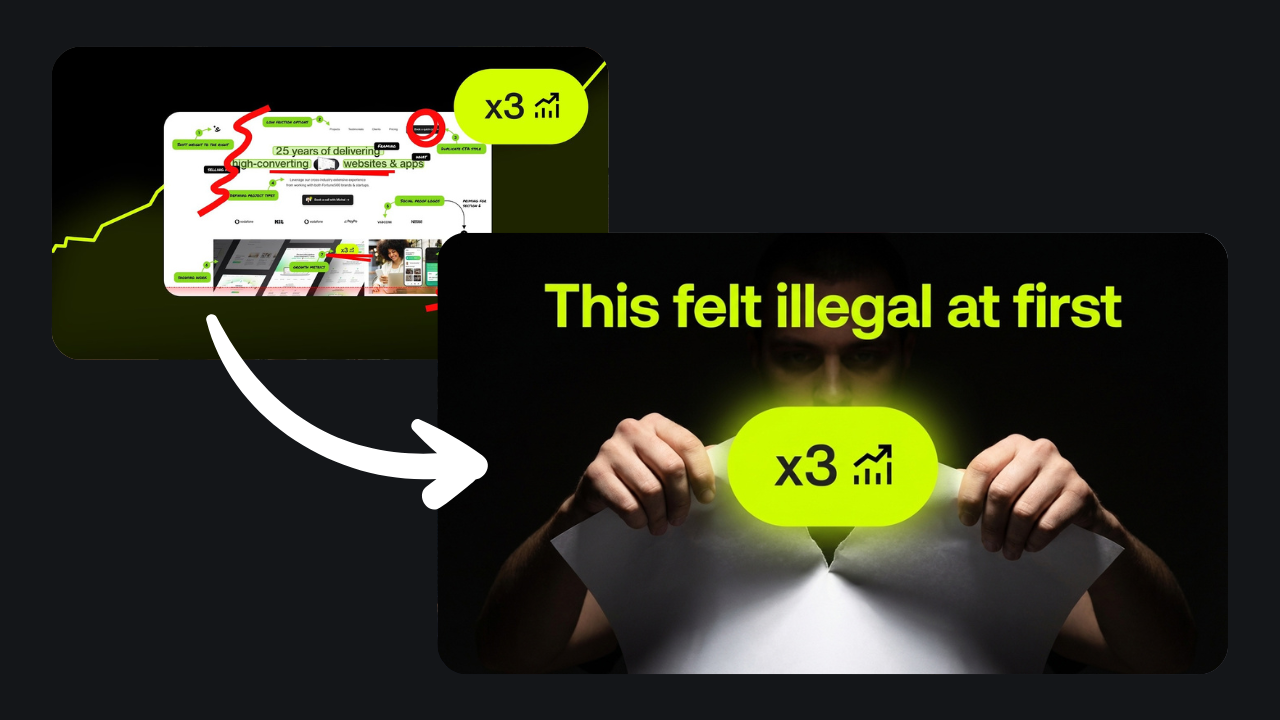
Your thumbnails should feel like they belong to the same channel. Pick a color palette, a font or two, maybe a logo placement, and stick with it.
This isn't about using the exact same template every time (that gets stale fast). It's about creating a recognizable style so people know it's your video when they see it in their feed.
Look at any successful channel. Their thumbnails have a visual throughline—similar layouts, recurring design elements, a signature vibe. That's not an accident.
Common Mistakes That Kill Click-Through Rates
Using Auto-Generated Thumbnails
The default freeze-frame YouTube picks? Almost always terrible. You'll get a random mid-blink shot or a transition frame that makes no sense.
If YouTube still allows auto-generated thumbnails, it's only because they know nobody actually uses them on purpose. Custom thumbnails aren't optional if you care about growth.
Clickbait That Doesn't Deliver
Yes, dramatic thumbnails get clicks. But if your video doesn't match what the thumbnail promised, people leave immediately. YouTube notices. Your watch time tanks, and the algorithm stops recommending your videos.
Make your thumbnail exciting, sure. But make it accurate. The thumbnail should represent what's actually in the video, not some fantasy version you wish you'd made.
Overloading with Text or Graphics
More isn't better. If you're cramming seven different elements, three fonts, and a full sentence into one thumbnail, you're overwhelming people. Too much to look at very quickly becomes nothing to look at!
Pick the most important thing, and make it big. Cut everything else.

Ignoring Your Competition
Your thumbnail doesn't exist in a vacuum. It sits next to a dozen other videos in search results and suggested feeds. If all your competitors use bright red text and you use gray, you're invisible.
Study what works in your niche, then find a way to stand out without blending into the noise. If everyone's doing one thing, try the opposite (as long as it still looks professional).
Niche-Specific Tips
Different types of content call for different thumbnail styles:
Gaming/Reactions: Big expressive faces + dramatic in-game moments. Neon colors, emojis, and action shots dominate here.
Tutorials/How-Tos: Show the result or the tool in use. Clean backgrounds, readable text overlays, and before/after splits work well.
Vlogs/Challenges: Personality-driven. A photo of you doing something interesting with a short, punchy caption.
Listicles/Top X Videos: Big numbers ("Top 5") in bold font, maybe with small icons of the items you're covering.
The format should match audience expectations. A finance channel probably shouldn't use the same neon-scream aesthetic as a Fortnite streamer.
Getting Objective Feedback on Your Thumbnails
Here's the thing about designing your own thumbnails: you're too close to them. You know what the video's about, so the thumbnail "makes sense" to you even if it's confusing to everyone else.
That's where outside perspective helps. Tools like BerryViral can analyze your thumbnail and give you an objective clickability score, plus specific feedback on what to improve. It'll even generate an optimized version for you while keeping your style consistent, which beats starting from scratch every time.
You don't need to be a designer to make thumbnails that work. You just need to understand what makes people stop scrolling.
Quick Checklist Before You Publish
- Resolution: 1280x720 pixels minimum (YouTube recommends 16:9 aspect ratio, under 2MB).
- Focal point: One clear main subject.
- Text: Three to five words max, bold and high-contrast.
- Mobile test: Shrink it down. Still readable? Good.
- Honest: Does it actually represent your video?
If you can check all those boxes, you're ahead of most creators.
The Bottom Line
An eye catching YouTube thumbnail isn't about fancy design skills or expensive software. It's about understanding what grabs attention in two seconds and delivering on that promise.
Your content deserves to be seen. Don't let a lazy thumbnail be the reason it isn't.