How to Create an Irresistible YouTube Thumbnail for Your Video

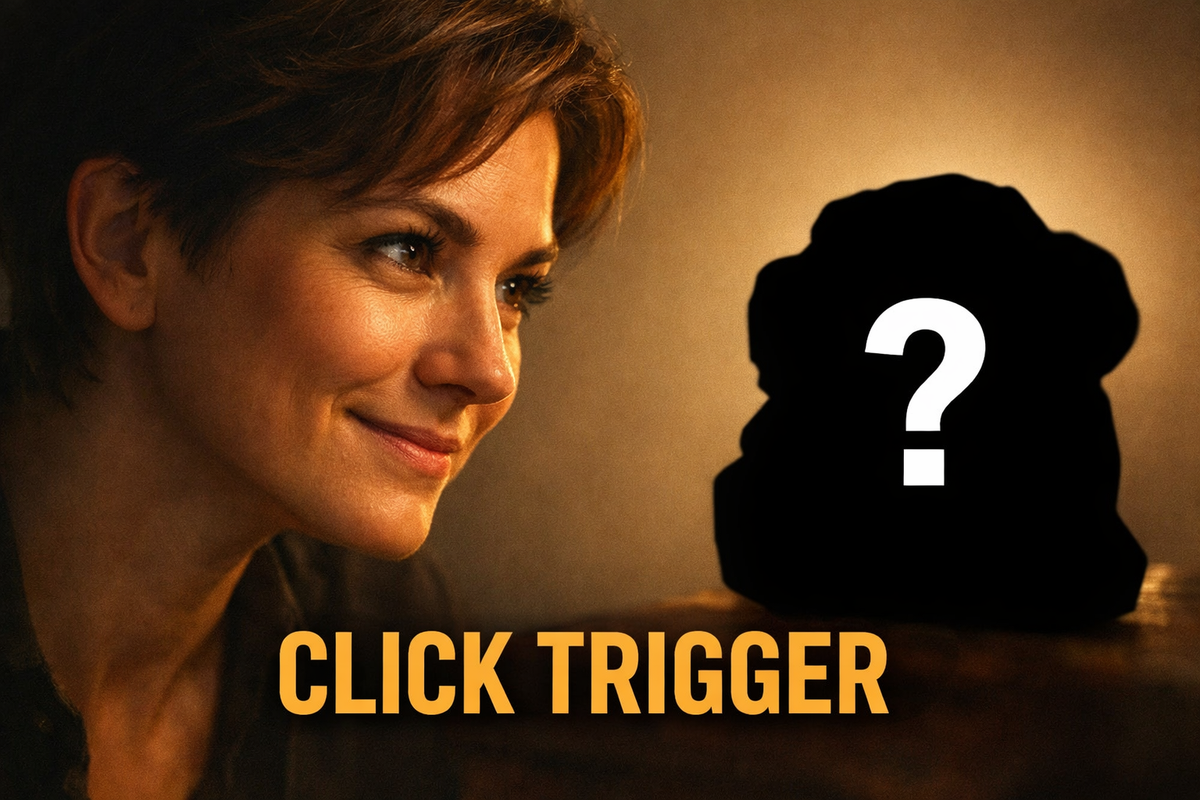
Your YouTube thumbnail is the first thing viewers see when browsing videos. It's the split-second decision point between someone clicking on your content or scrolling past it. A good thumbnail needs to grab attention and make people curious enough to click.
The Psychology Behind Clickable Thumbnails
Before diving into design techniques, understand what makes people click. Thumbnails work because they tap into basic human behaviors:
- Curiosity gaps: When something looks incomplete or unusual, our brains want to know more
- Pattern recognition: We're drawn to faces, especially those showing strong emotions
- Contrast processing: Bright colors and clear differences pop in a crowded feed
- Promise of value: Thumbnails that effectively yet subtly suggest useful information or quality entertainment perform better
Core Elements of an Irresistible Thumbnail
1. The Curiosity Hook
Every great thumbnail creates a question in the viewer's mind. This doesn't mean being misleading though. It means highlighting the most intriguing part of your video. For a tutorial, show the surprising result. For a story, capture the most dramatic moment. The hook should make viewers think, "What happens here?" or "How did they do that?"
2. Clean, High-Contrast Visuals
Mobile viewers see tiny thumbnails, so clarity is non-negotiable. Use:
- High-resolution images (1280x720 pixels minimum)
- Simple backgrounds that don't compete with your subject
- Strong contrast between foreground and background
- Limited color palette (2-3 dominant colors work best)
3. Strategic Text Usage
Text should supplement and not dominate your visuals. Keep it to:
- Maximum 3-5 words
- Large, bold fonts that remain readable when small
- Contrasting colors from the background
- Phrases that create urgency, an unresolved question, or promise value
4. Emotional Connection
Faces with clear expressions can dramatically increase click-through rates. Studies show thumbnails with eye contact perform better because they create a personal connection. If showing people, ensure their expression matches your video's tone (shocked, excited, curious, etc.) and aren't over-done or unnecessarily exaggerated.
Faces on the thumbnail are not mandatory for all niches though. There are plenty of faceless channels thriving on YouTube, though it takes a higher skill level to make it work well.
Common Thumbnail Mistakes to Avoid
- Clutter: Too many elements confuse viewers
- Small text: If you can't read it at thumbnail size, remove it
- Misleading imagery: Clickbait hurts long-term channel growth
- Blurry images: Viewers associate quality with professionalism
- Inconsistent branding: Thumbnails should feel like they belong together
Testing and Optimizing Your Thumbnails
Creating a good thumbnail is part skill, part science. What looks great to you might not perform well with viewers. This is where objective feedback becomes valuable.
BerryViral offers a solution by analyzing your thumbnail designs and providing clickability ratings based on proven engagement factors. The tool evaluates elements like contrast, text readability, emotional impact, and overall composition. What makes it particularly useful is the automatic optimization suggestions. Plus you can get that feedback applied directly within BerryViral to improve your design before publishing.
The platform compares your thumbnail against it's learnings from thousands of high-performing examples in your niche, giving you data-driven insights rather than guesswork. This removes the uncertainty from thumbnail creation and helps you make informed design decisions.
Thumbnail Creation Workflow
- Identify your video's hook: What's the most compelling moment or promise?
- Capture or create the visual: Use a frame from your video or create a custom image
- Add minimal, bold text: Keep it under 4 words if possible
- Test with BerryViral: Upload to BerryViral for objective ratings
- Apply optimization feedback: Use the automated suggestions to improve your design
- A/B test if needed: Create variations and compare performance
Final Thoughts
The best thumbnails balance curiosity with clarity. They're simple enough to understand instantly but intriguing enough to make viewers want more. By focusing on emotional connection, clean visuals, and strategic text, you'll create thumbnails that stand out in any feed.
Remember that thumbnail creation improves with practice and feedback. Use tools like BerryViral to remove guesswork from the process, and always track which styles perform best with your specific audience. Over time, you'll develop an instinct for what makes your viewers click.