YouTube SEO Checklist: How to Rank Videos in 2026

YouTube SEO in 2026: The rules changed again
YouTube has 2.7 billion monthly users and 14,000 new videos every minute. If you still treat SEO like it’s 2022—stuffing keywords into a description—your videos will stay buried.
The algorithm is transparent if you know where to look. This checklist covers the setup, metadata, and analytics decisions that separate growing channels from dead ones. You are likely missing at least one of these steps.
Step 1: Set up your channel correctly
A half-finished profile tells YouTube you aren't serious. Fix your foundation.
- Channel name: Keep it clear. Don't change it for small reasons.
- Description: Put your main keyword in the first two sentences. YouTube uses this to categorize your channel.
- Branding: Use a 2560x1440px banner and a clear icon. Blurry branding drives viewers away.
- Links: Add your website and social profiles to build trust.
- Settings: Go to YouTube Studio, then Settings, then Channel, and Basic Info. Add your channel keywords to help YouTube suggest your content to the right people.
Step 2: Do keyword research before you record
Research happens before the script. You need to say your target keywords out loud so the auto-generated transcript picks them up.
- Autocomplete: Type your topic into the YouTube search bar and see what the platform suggests.
- Google Search: Check the "Videos" tab in Google. If Google shows YouTube videos for your topic, it’s a rankable query.
- Competitors: Look at top-performing videos in your niche. Use the words they use in their titles.
- Strategy: Mix high-volume keywords with specific phrases to get early traction.
Step 3: Optimize titles and descriptions
Metadata is how the algorithm understands your content. Get this wrong, and your video stays invisible.
- Titles: Keep them under 60 characters. Put the primary keyword at the front. Make them clickable, but don't bait people—if they click and leave, your ranking will tank.
- Descriptions: Write 200–300 words. Use your primary keyword early. Include timestamps to help viewers find what they need.
- Tags: They aren't as powerful as they used to be, but they help with "related videos." Use your main keyword as the first tag and add a few variations.
Step 4: Treat your transcript as an SEO asset
YouTube creates captions for you, but they are often wrong. If the captions are bad, you’re feeding the algorithm junk data.
- Upload manual files: Go to YouTube Studio and upload your own subtitles. It takes 20 minutes and helps YouTube index your content accurately.
- Use AI: Tools like Descript or Otter.ai can transcribe your video in seconds. Clean up the text and upload it.
- Accessibility: Accurate captions help deaf and hard-of-hearing viewers. YouTube rewards this accessibility and SEO signal.
Step 5: Design thumbnails that get clicks
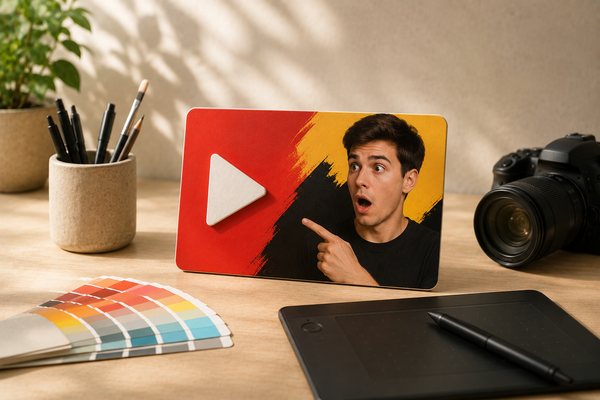
Most channels see a 2% to 10% click-through rate. If you’re stuck below 4%, your thumbnail is the problem.
- Resolution: Use 1280x720px. Anything less looks blurry on mobile.
- Text: Use 5 words or fewer. Keep the font bold.
- Emotion: Faces showing surprise or curiosity outperform neutral ones.
- Simplicity: One focal point per image. Clutter kills clicks.
Design is hard. BerryViral rates your thumbnails for clickability and gives you feedback on colors, lighting, and composition and lots more. If your CTR is low, start here.
Step 6: Maximize retention
Watch time is the only metric that matters. If people leave, YouTube stops recommending your video.
- The Hook: State the value in the first 30 seconds. No long intros.
- Pattern Interrupts: Change the visual or pace every 60–90 seconds to keep people watching.
- Structure: Give your video a clear arc. Don't ramble.
Step 7: Post at the right time
Generic advice says to post at a specific hour, but your channel is different. Check your YouTube channel analytics under Audience and look for "When your viewers are on YouTube." Use that heatmap to schedule your uploads, keeping in mind that weekday afternoons (2–4 PM) are generally optimal for long-form content.
Step 8: Read your analytics
Don't just check view counts. Look at these three metrics:
- CTR: If it's under 4%, change your thumbnail.
- Audience Retention: Find where people drop off. If they leave at the 45-second mark, fix your hook.
- Traffic Sources: See if you’re getting views from search or suggested videos. Double down on what works.
The 2026 YouTube SEO Checklist
Run through this list before every upload:
- Channel info, icon, and banner are updated.
- Keyword research is finished before filming.
- Target keyword is spoken in the first 30 seconds.
- Title is under 60 characters with the keyword at the front.
- Description is 200+ words with timestamps.
- Manual transcript is uploaded.
- Thumbnail is highly rated by something like BerryViral.
- Video includes a clear hook and pattern interrupts.
- Upload is scheduled based on your specific audience heatmap.
- Engagement prompt is included at the end.